KAST Payment Links Are Here: Send Money With Just a Link


Paying someone should not start with a hunt for their account information.
You covered dinner. A friend needs their share. A family member needs support. Someone did the work, and now you want to pay them. Then the transfer slows down because you need one more thing: the right details.
So we made that part easier.
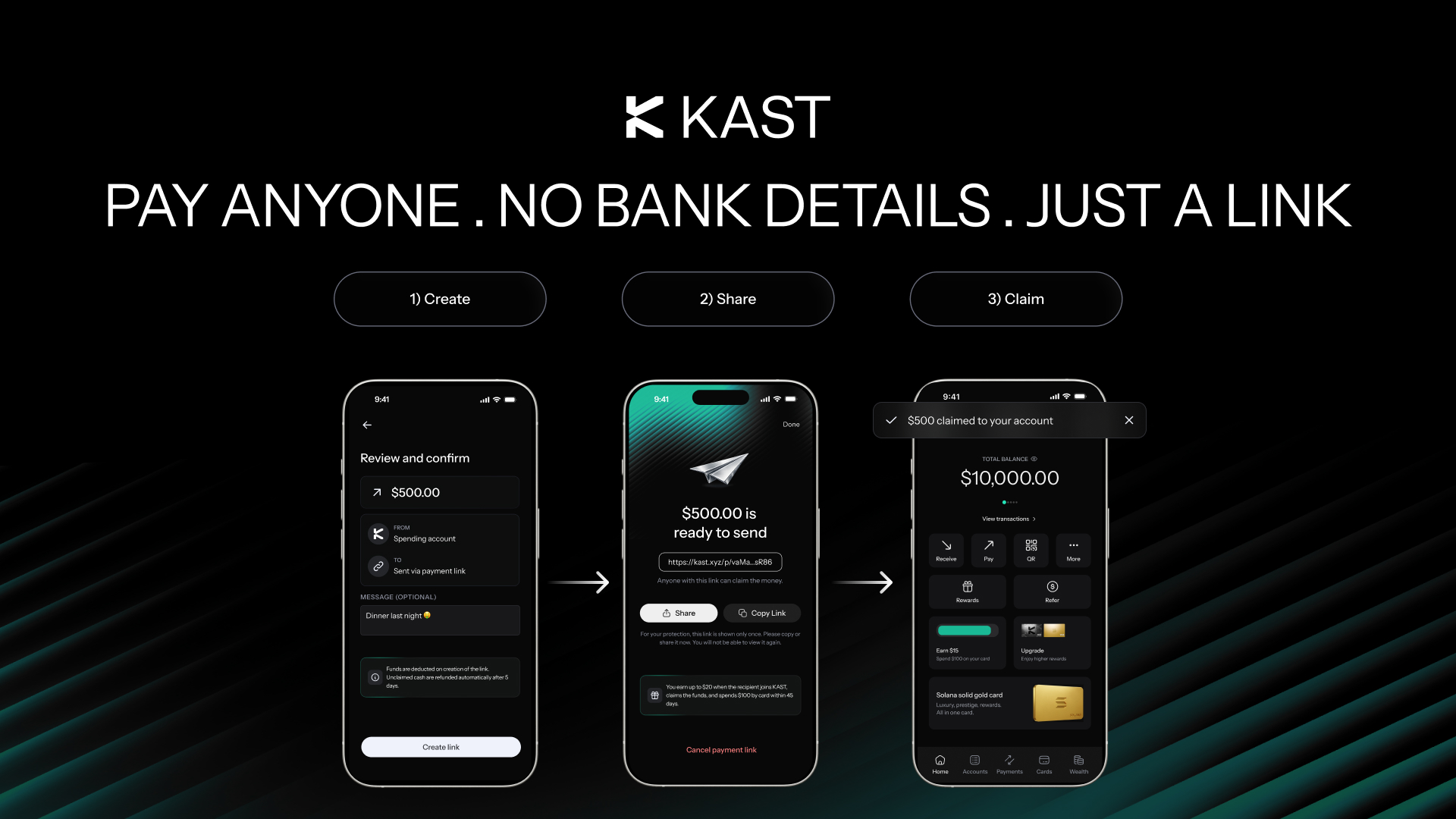
With Payment Links in KAST, you can create a secure link, choose a USD amount, and share it with the person you want to pay. They open the link and follow the steps to claim the money into KAST.
No long setup. No back and forth. No messy copy paste.
Payment Links let you send a fixed USD amount through a secure, single-use link. You can share it by message, email, QR code, or other supported channels. If the recipient is new to KAST, they can sign up and complete the required steps before receiving the money.
How Payment Links Work
The flow keeps the send simple.
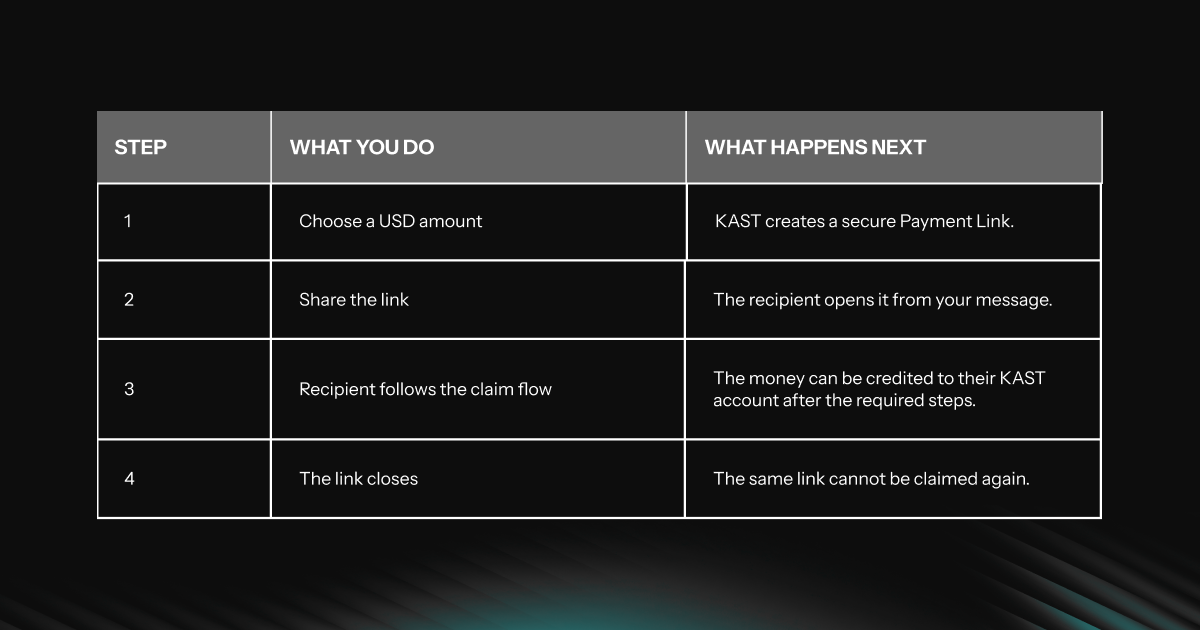
The recipient can see key payment details while the link is active, including the amount and expiry information.
Where Payment Links Help
Payment Links work best when a normal transfer asks for too much information too early.
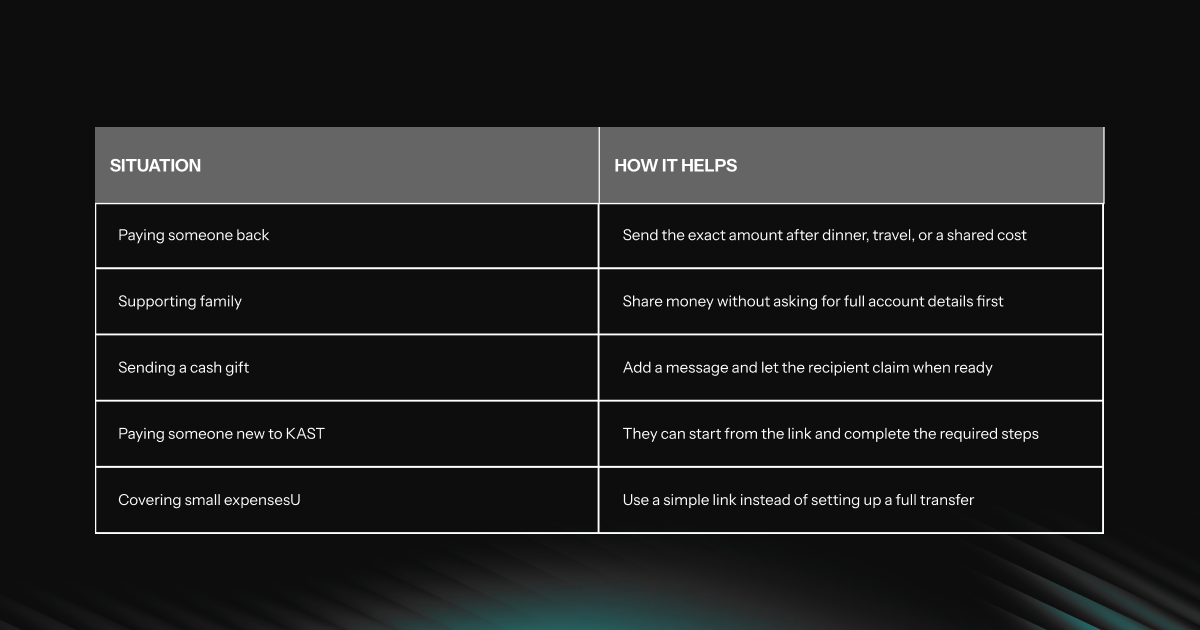
It feels closer to sending a message than arranging a payment.
New to KAST? The Link Still Works
The recipient does not need to have a KAST account when you create the link.
If they are new, they can open the Payment Link, verify their details, download KAST, and complete the required steps. Once approved, they can receive the money in their KAST account.
That gives the recipient a clear reason to start: there is already money waiting for them.
Payment Links Can Also Start Referrals
A Payment Link can also act as an invite when the recipient is new to KAST.
If they sign up through your Payment Link, complete the required steps, and meet the KAST referral requirements, you may receive the applicable referral reward.
Standard referral rules apply, including eligibility, account approval, successful claim, reward timing, and any required qualifying actions.
For full reward rules, eligibility, and timing, check the KAST referral terms in the app or on our Terms and Conditions page.
Fees and Limits
KAST does not charge you a fee to create a Payment Link.
The recipient also pays no fee when they claim the money into their KAST balance.
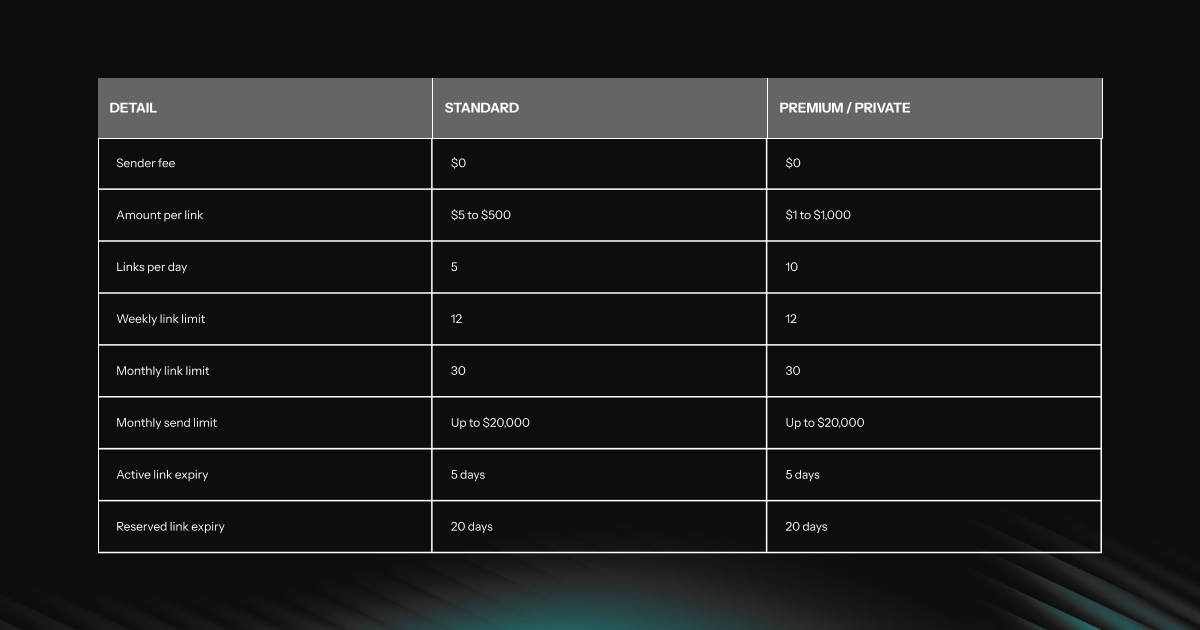
Your current limits may appear in the KAST app.
You Stay in Control
When you create a Payment Link, the amount moves from your available balance and waits for the recipient to claim it.
You can cancel an active link before it gets reserved or claimed. If you cancel it in time, the full amount returns to your KAST balance.
If the recipient does not complete the claim before expiry, the money also comes back to you.
How Do I Send Money With Payment Links in KAST?
Important Details
Before you share a Payment Link, keep these points in mind:
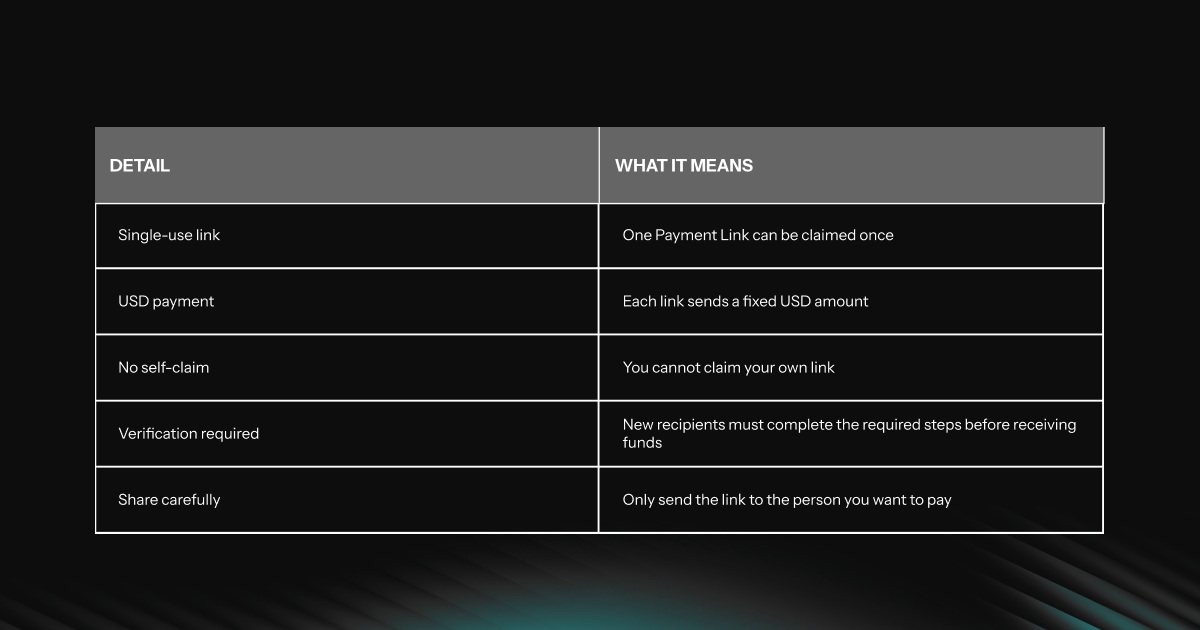
Treat a Payment Link like cash. Share it only with the intended recipient.
Why We Built This
KAST helps you store, earn, move, and spend money across borders.
Payment Links add a lighter way to move money between people. You do not need to collect every detail before you start. You can send the link first and let the recipient claim from there.
That makes everyday payments feel simpler, especially when the person is not already in your KAST contacts.
How Do I Claim a KAST Payment Link?
Start Sending With Payment Links
Open KAST, choose the amount, create your Payment Link, and share it with the person you want to pay.
They open it. They follow the claim flow. The payment moves through KAST.
Send money with a link, right from KAST.

.png)