Using KAST but Unsure About Fees? How to Calculate Them Step by Step

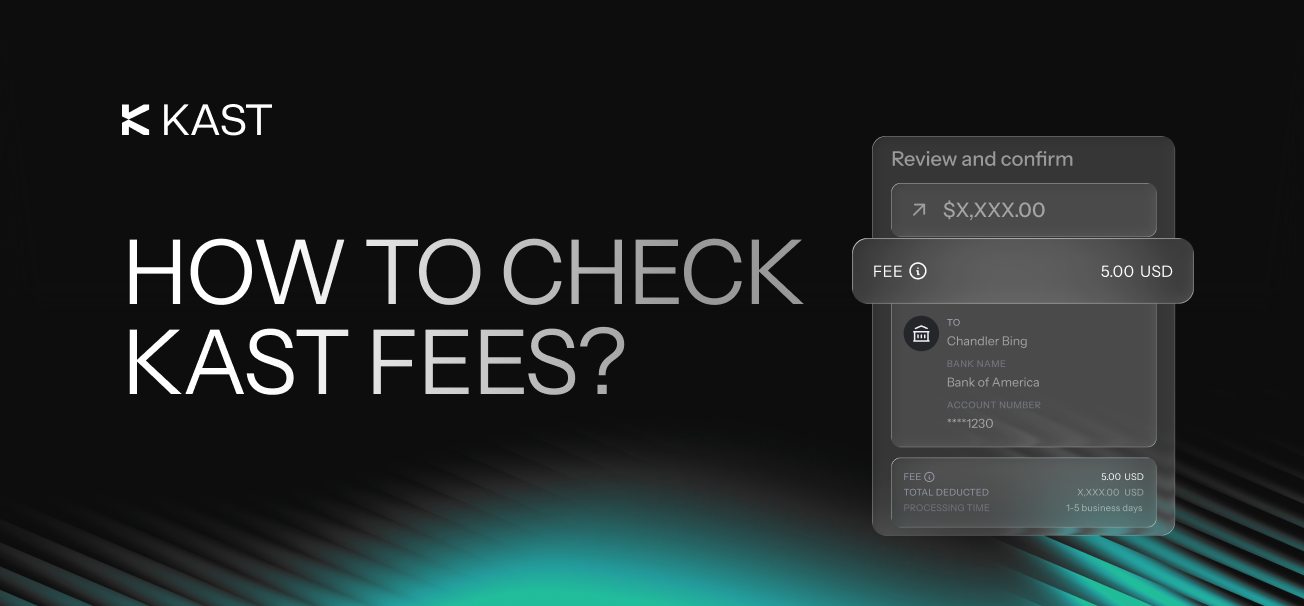
Sending money is simple. Understanding the cost is where things can get unclear.
With KAST, every transfer shows you the final numbers before you confirm. But if you want to estimate things ahead of time, it helps to know what to expect.
There are three main ways to send money with KAST:
- Send stablecoins onchain
- Send money using a KAST Tag
- Send money to a bank account
Sending Stablecoins With KAST
Sending stablecoins follows the standard crypto flow. You choose a token, pick a network, and send to a wallet address.
The cost depends on the network, timing, and the fee shown in the app before you confirm.
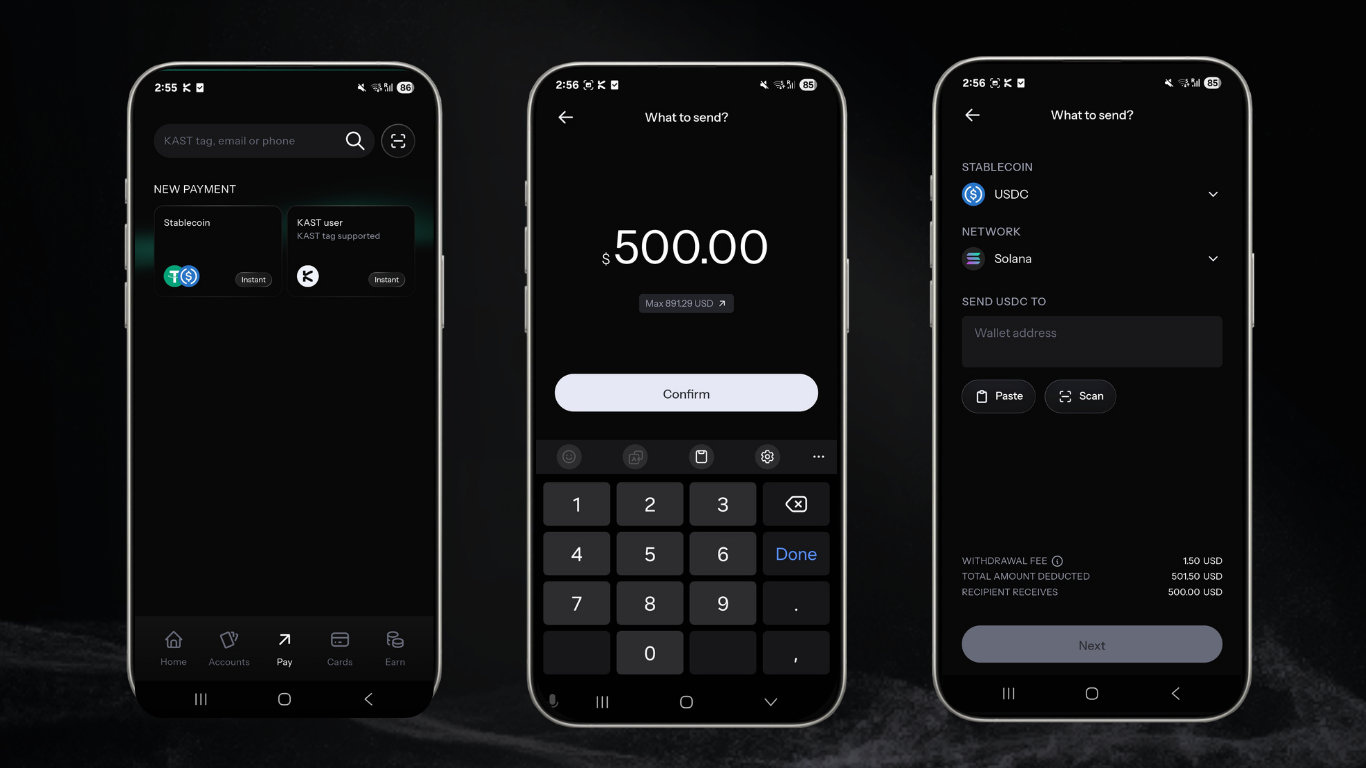
Open your KAST app, tap Pay, choose Stablecoins, enter the amount, then select your token and network.
What You’ll Pay
- A withdrawal fee shown by KAST, based on the network
Here are the current withdrawal fees in KAST:
How to Estimate the Cost
Before you send, check:
- The token you are using
- The network you selected
- The fee shown on the confirmation screen
Stablecoin Send Fee Example
On-chain transfers can be very cost-efficient. The key number is always the one you see right before you send.
Sending Money Using a KAST Tag
KAST Tag transfers are the simplest way to send money to another KAST user.
No wallet addresses. No copy paste. Just send to a tag.
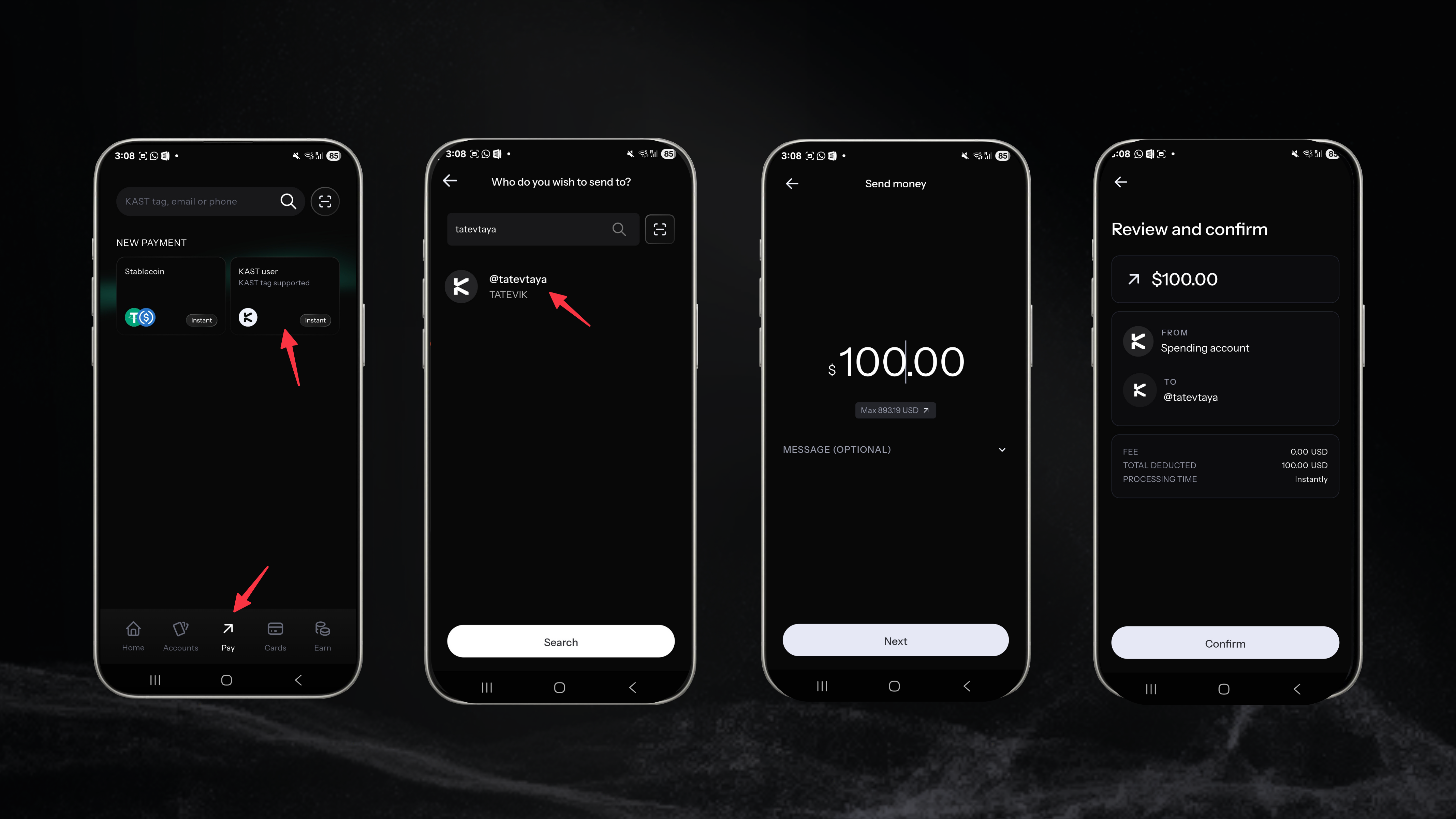
Open the KAST app, tap Pay, choose KAST Tag, enter the tag, and select the amount.
What You’ll Pay
- No fees. KAST Tag transfers are free.
How to Estimate the Cost
Before confirming:
- Check the tag is correct
- Confirm the amount
- Make sure you are sending from your spending account
KAST Tag Send Fee Example
KAST Tag transfers are the most direct way to send money. What you send is what the other person gets.
Sending Money Using a Bank Payout
A bank payout is how you move money from crypto into a bank account.
Your funds leave the stablecoin flow and arrive as a bank transfer. This is useful when the recipient needs money in their bank account.
It also introduces a few more variables.
Sending Money Using a Bank Payout (SWIFT)
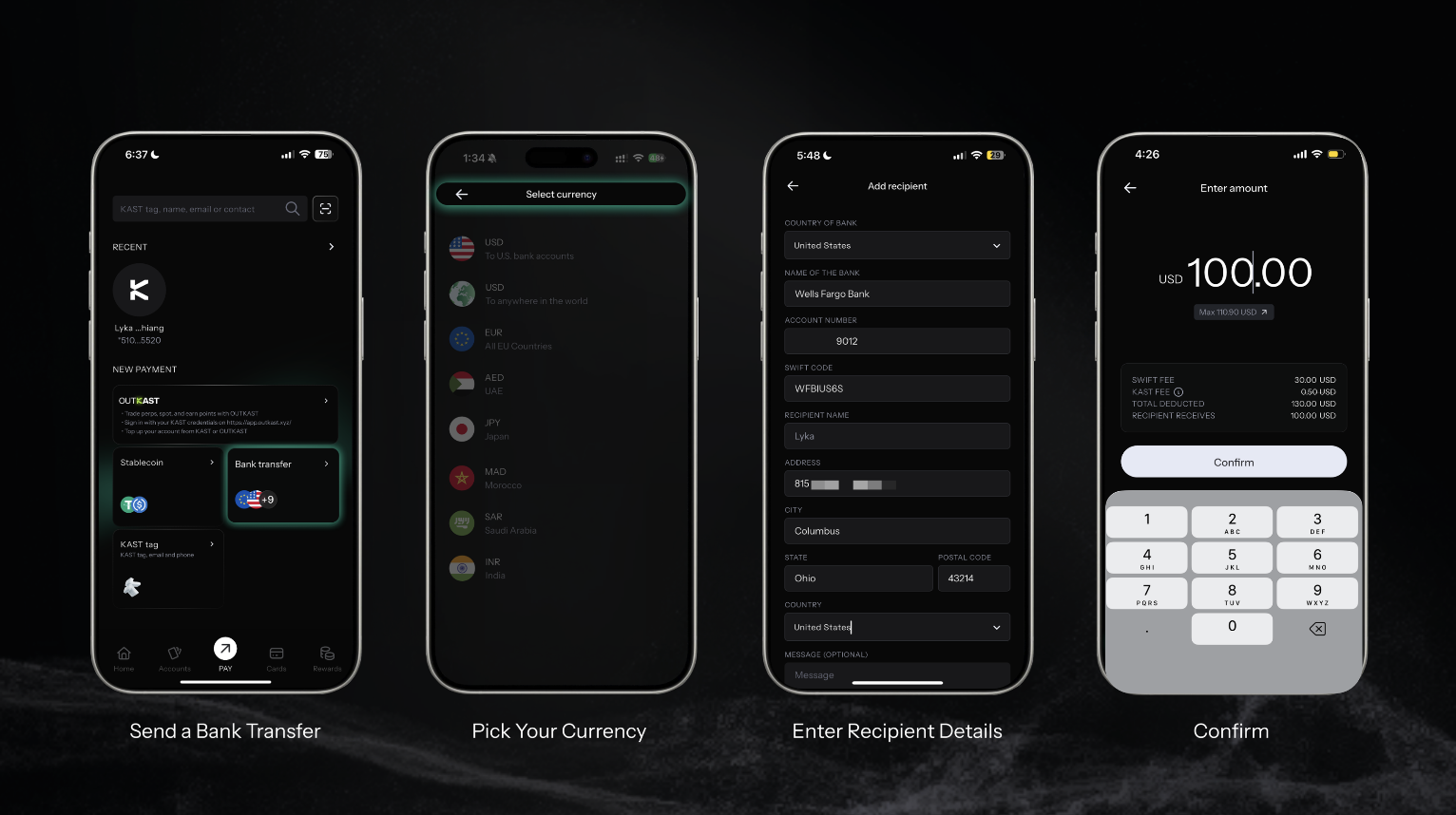
What You’ll Pay
- SWIFT fee: Charged for using the payout rail
- KAST fee: Currently waived
How to Estimate the Cost
Before confirming, check:
- The recipient’s bank details
- The SWIFT fee shown
- The total deducted
- The final USD amount the recipient will receive
SWIFT Payout Fee Example
SWIFT payouts are typically slower and include fixed fees, which makes them better suited for larger transfers.
Sending Money Using a Bank Payout (Local Currencies)
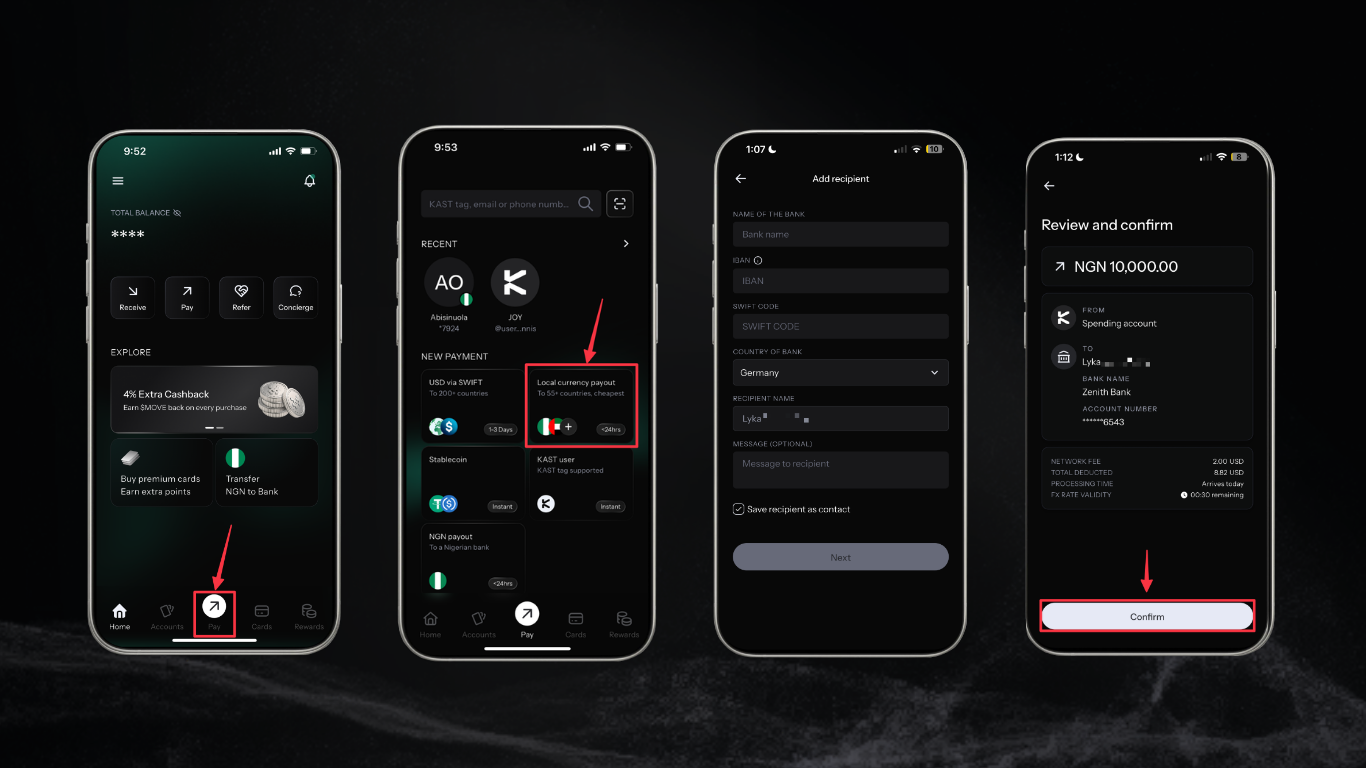
What You’ll Pay
- Payout fee: For using local payout rails
- Conversion fee: rate applied when converting stablecoins to local currency.
How to Estimate the Cost
Before confirming, check:
- The service fee
- Any conversion costs
- The final amount the recipient will receive
Local Payout Fee Example
Local payouts are usually faster and more cost-efficient than SWIFT, especially for smaller amounts.
Your funds are converted at the current FX rate, and you’ll see all fees and delivery times upfront before confirming your payout.
Know Before You Send
Each method gives you a different balance of cost, speed, and convenience.
- Use onchain transfers when you want control and visibility
- Use KAST Tag when you want the simplest experience
- Use payouts when funds need to arrive in a bank account
The most important number is always the final amount shown before you confirm.
Check it once, send with confidence.